
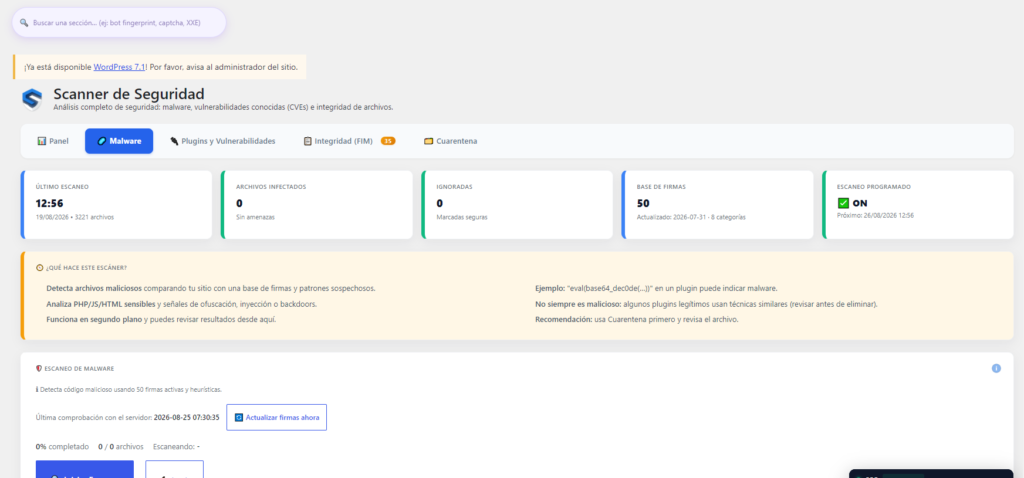
Just “having a malware scanner” installed isn’t enough. What really makes the difference is what that scanner does after it finds something — and that’s where most fall short.
What a good malware scanner should do (beyond just detecting)
Signature-based vs behavior-based detection
Signature-based detection means comparing your files against a database of already-known malware patterns — fast and reliable for known threats, but blind to anything completely new. Behavior-based detection analyzes suspicious signals (obfuscated code, typical backdoor functions) even if they don’t match any exact signature. A serious scanner combines both approaches.
What happens after detection: does it just alert, or does it also act?
This is the real difference between “having a scanner” and “being protected.” A scanner that only sends you an alert email leaves you just as exposed until you go in and clean it up yourself. One that can also quarantine the file or block execution in the affected folder cuts off the problem immediately.
Server-side scanning vs remote scanning
Scanning from the server itself is deeper (it accesses the files directly) but consumes your hosting resources. Scanning remotely is lighter on the server, but it only sees what’s publicly accessible, not the internal code. The ideal is a local scan that doesn’t spike resource usage on shared hosting.
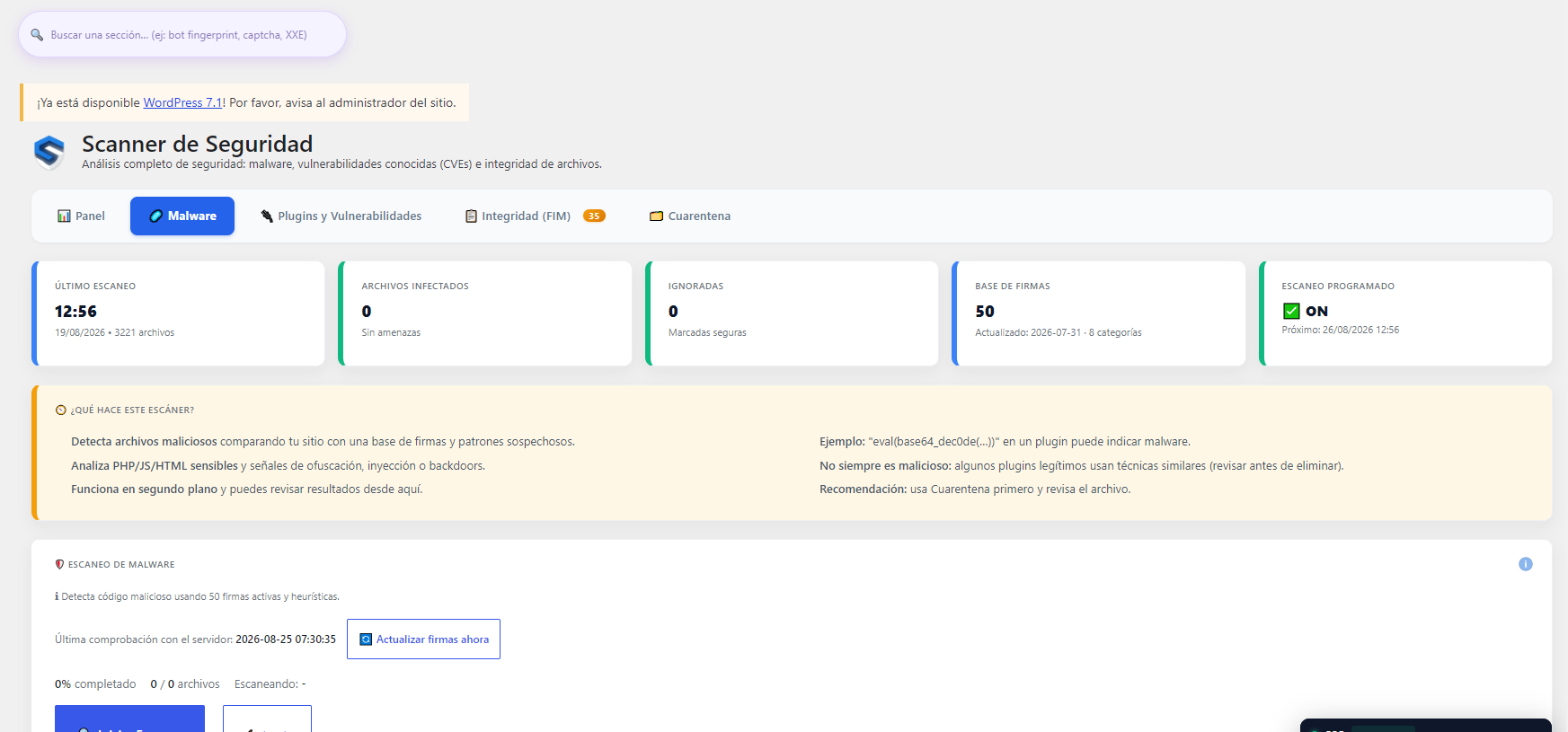
How SeenSecure protects your WordPress
Signature detection plus updated heuristics
The scanner compares your files against a signature database that’s updated regularly, and complements that comparison with heuristic rules that detect suspicious patterns even when they don’t exactly match a known signature — obfuscated code, unusual use of eval() or base64_decode(), typical backdoor signals.
Folder protection after detection (PHP execution blocking)
When the scanner finds a malicious file, you can “protect” that folder with one click: PHP execution is blocked there, so even if something is left behind or gets uploaded again, it can’t run. It doesn’t delete or touch the rest of the folder’s legitimate content.
Reverting changes if something goes wrong
If a cleanup or protection action affects something it shouldn’t have, it can be reverted without having to restore a full backup.
Shared threat-intelligence network between sites
Confirmed real blocks on one site in the network can be used (optionally, with explicit consent) to protect other protected sites ahead of time — a layer of defense that goes beyond what an isolated scan on a single site can do.
What to look at before choosing a malware scanner
- What it does after detecting: does it just alert, or can it also quarantine and protect the affected folder?
- Where it scans: a scan that doesn’t spike resource usage is key if your hosting is shared.
- Whether it allows reverting: a badly applied cleanup action shouldn’t force you to restore the whole site from scratch.
- Whether it learns from other attacks: an IP confirmed as an attacker on one site should be able to protect others, not stay isolated.
Frequently asked questions
Can a malware scanner slow down my WordPress?
Yes, if it scans very intensively on the server itself with no resource control at all. SeenSecure spreads the analysis across batches and runs in the background, so you won’t notice it in your site’s performance while you or your visitors are using it.
Do I need to pay to have a functional malware scanner?
It depends on the plugin: some free versions on the market are very limited in practice. It’s worth checking exactly what each tier includes, not just whether it “has a scanner.”
What’s the difference between detecting malware and being protected against it happening again?
Detection is only the first step — without blocking the folder or the entry vector, the same file can be uploaded again. That’s why what the plugin does after detection matters, not just whether it detects.